
Had problems with a few of my desktops updating .net framework 2.0 SP2 – this solution works perfectly:
Category: Windows XP
Uninstalling GoToMeeting
GoToMeeting does not always provide an uninstall – not listed in add/remove programs.
To uninstall manually use:
cddocuments and settings[profile]local settingsapplication settingscitrixgotomeeting360
g2muninstall.exe /uninstall
Where [profile] is your username.
Resetting XP Administrator Password
Was upgrading my management desktop recently and somehow forgot the admin password – nightmare!
Anyway, found this excellent resource:
http://www.pogostick.net/~pnh/ntpasswd/
You download a CD image, create the CD, boot to the CD which loads a linux variant and the utility. You can then follow the menu instructions to reset the admin password – their FAQ was useful.
Worked perfectly and their CD now sits in my utilities box.
Rotate Screen in Windows
Walked into the office the other day and the receptionists screen image was rotated by 90 degrees – see below!
We desparately tried to work out how to resolve it whilst twisting our heads and getting a sore neck in the process.
To avoid getting a sore neck use the following key strokes to resolve:
Press the Ctrl and Alt keys together and then press one of the arrow keys:
Ctrl Alt up arrow (normal screen)
Ctrl Alt right arrow (rotate 270°)
Ctrl Alt left arrow (rotate 90°)
Ctrl Alt down arrow (rotate 180°)
A full list of Microsoft keystrokes can be found here: http://support.microsoft.com/kb/301583, but the ones above are not listed for some reason.
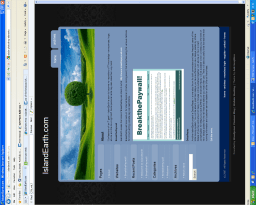
Image of rotated desktop
Can only assume that the cleaners accidently hit one of the keystrokes overnight.
 IslandEarth